 English
 العربية
 Deutsch
 Español
 Français
 Italiano
 Português
 Русский
 Türkçe
 Tiếng Việt
How to Calculate Monthly Payments, Interest & Amortization Like a Pro
Loan Calculator Guide
A home, car, education, or personal needs—is one of the most significant financial decisions you’ll ever make. Yet, surprisingly, most people sign loan agreements without fully understanding their monthly payments, total interest cost, or repayment schedule. That’s where a loan calculator becomes your best friend.
What Is a Loan Calculator? (And Why You Need One)
A loan calculator is a digital tool—often a simple widget on a website or a spreadsheet—that computes your monthly payment, total interest paid, and total repayment amount based on three inputs:
-
Principal (the amount you borrow)
-
Interest rate (annual percentage rate, or APR)
-
Loan term (how many months or years you have to repay)
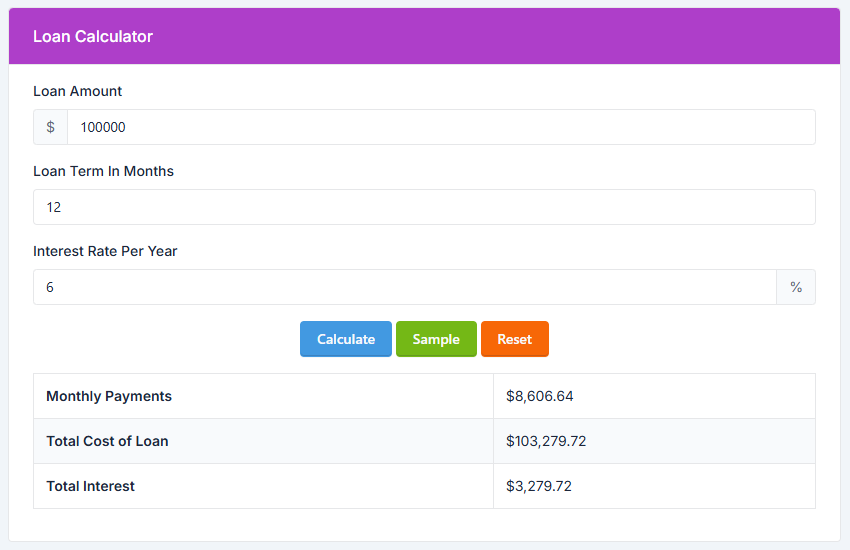
Why does this matter? Because without a loan calculator, lenders can present numbers that sound affordable but hide enormous interest costs. For example, a $30,000 personal loan at 12% over 5 years might have a “low” monthly payment of $667, but you’ll pay nearly $10,000 in interest alone.
A loan calculator reveals the truth instantly.
The Magic Behind the Math: Standard Loan Formula
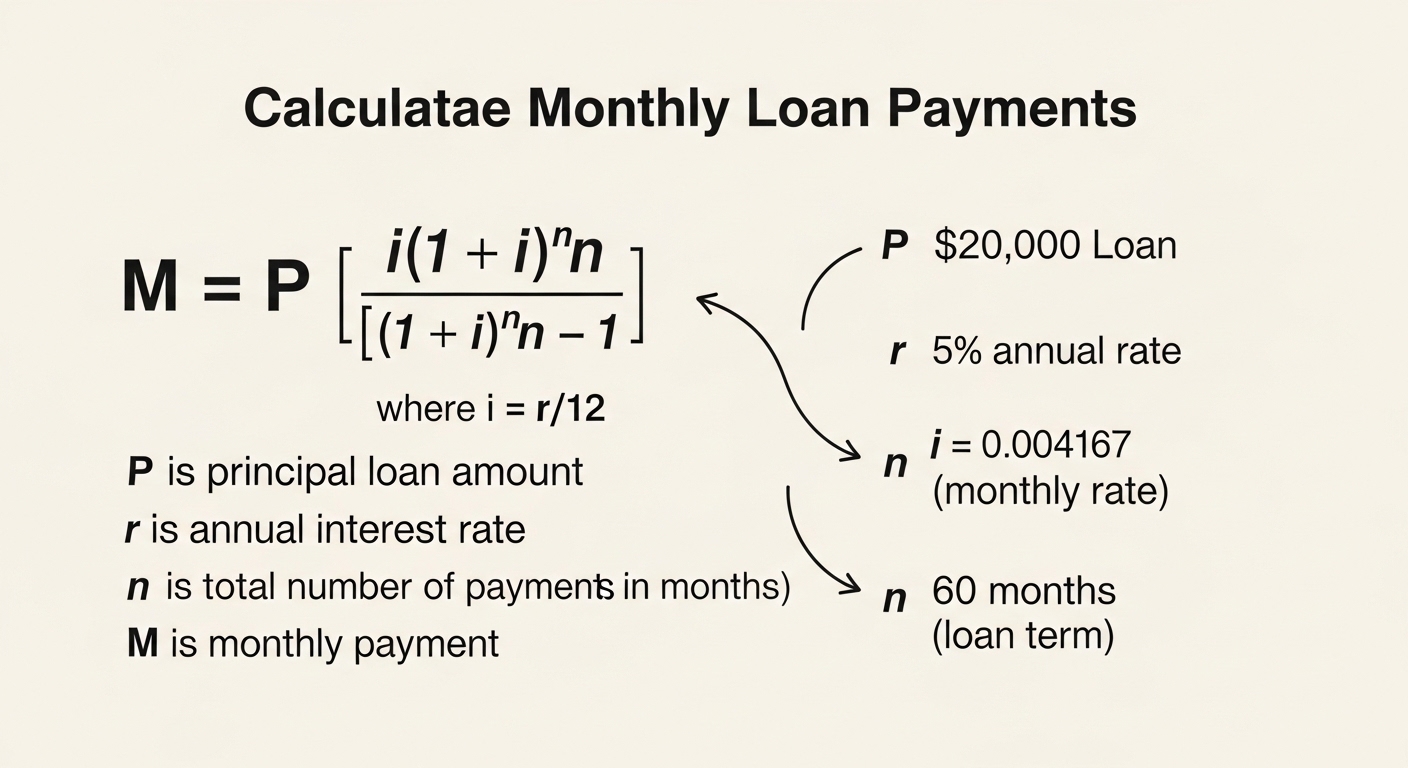
Every standard loan calculator uses the amortizing loan payment formula (also called the loan EMI formula). Here it is:
M=P×r(1+r)n(1+r)n−1
Where:
-
M = Monthly payment
-
P = Principal loan amount
-
r = Monthly interest rate (annual rate ÷ 12)
-
n = Total number of payments (loan term in months)
Let’s break it down with an example.
Example: You borrow $25,000 at 6% annual interest for 4 years (48 months).
-
P = 25,000
-
r = 0.06 ÷ 12 = 0.005
-
n = 48
Plugging in:
M = 25,000 × [0.005(1.005)^48] / [(1.005)^48 – 1]
M ≈ $587.15 per month
Over 48 months, you’ll pay back $28,183.20 in total, meaning $3,183.20 in total interest.
Without a loan calculator, most people would guess the monthly payment is around $520 or $650. The difference matters when budgeting.
How to Use a Loan Calculator (Step by Step)
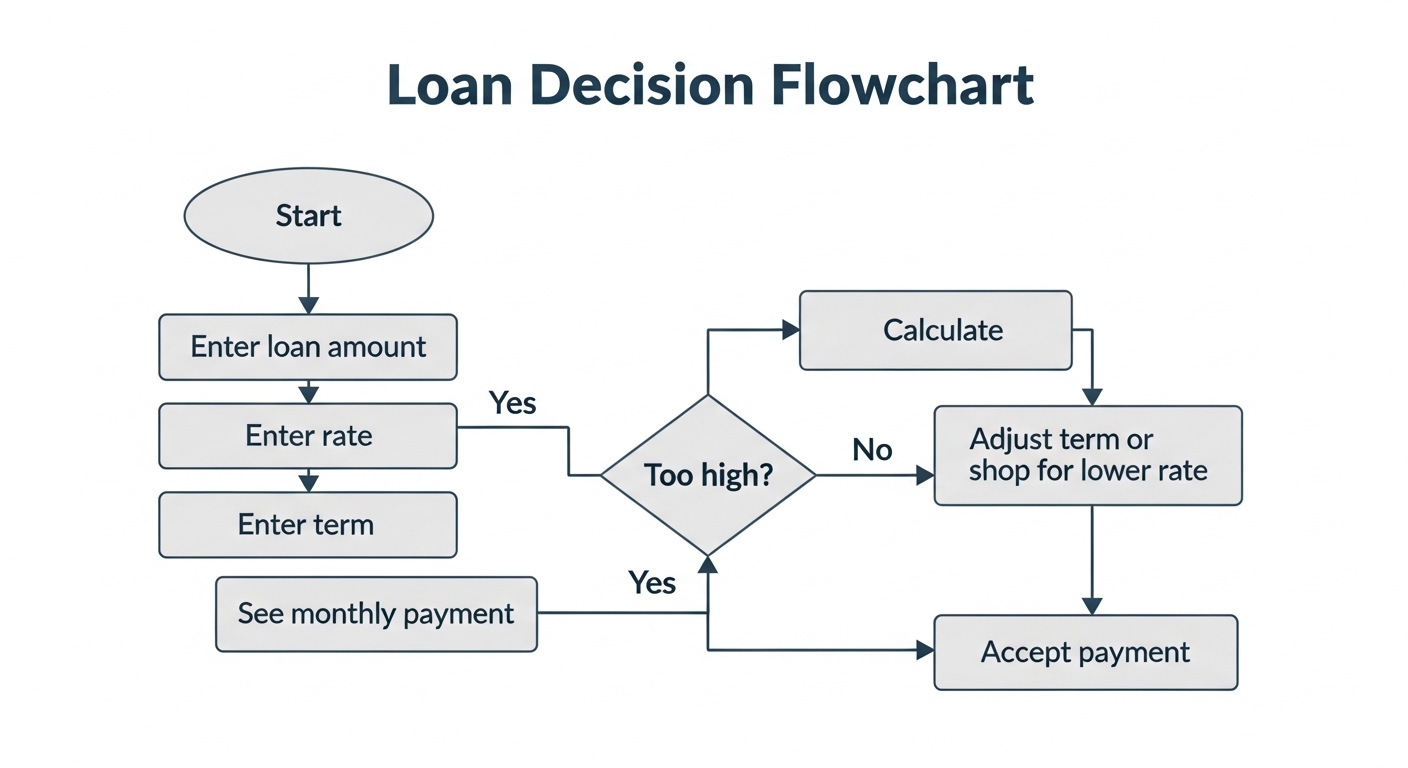
Most online loan calculators work the same way. Follow these 5 steps:
Step 1: Enter the loan amount (principal).
Be realistic. If you’re buying a car, include taxes, fees, and down payment. Example: $22,000 car + $2,000 fees – $4,000 down = $20,000 loan.
Step 2: Input the annual interest rate.
Use the APR, not the “teaser rate.” For credit cards or personal loans, this is often between 6% and 36%.
Step 3: Choose the loan term.
Common terms: 12, 24, 36, 48, 60, 72 months (or 1–7 years). Longer term = lower monthly payment but much more total interest.
Step 4: Click “Calculate” or “View Payment Schedule.”
The calculator will show:
-
Monthly payment
-
Total interest paid
-
Total repayment amount
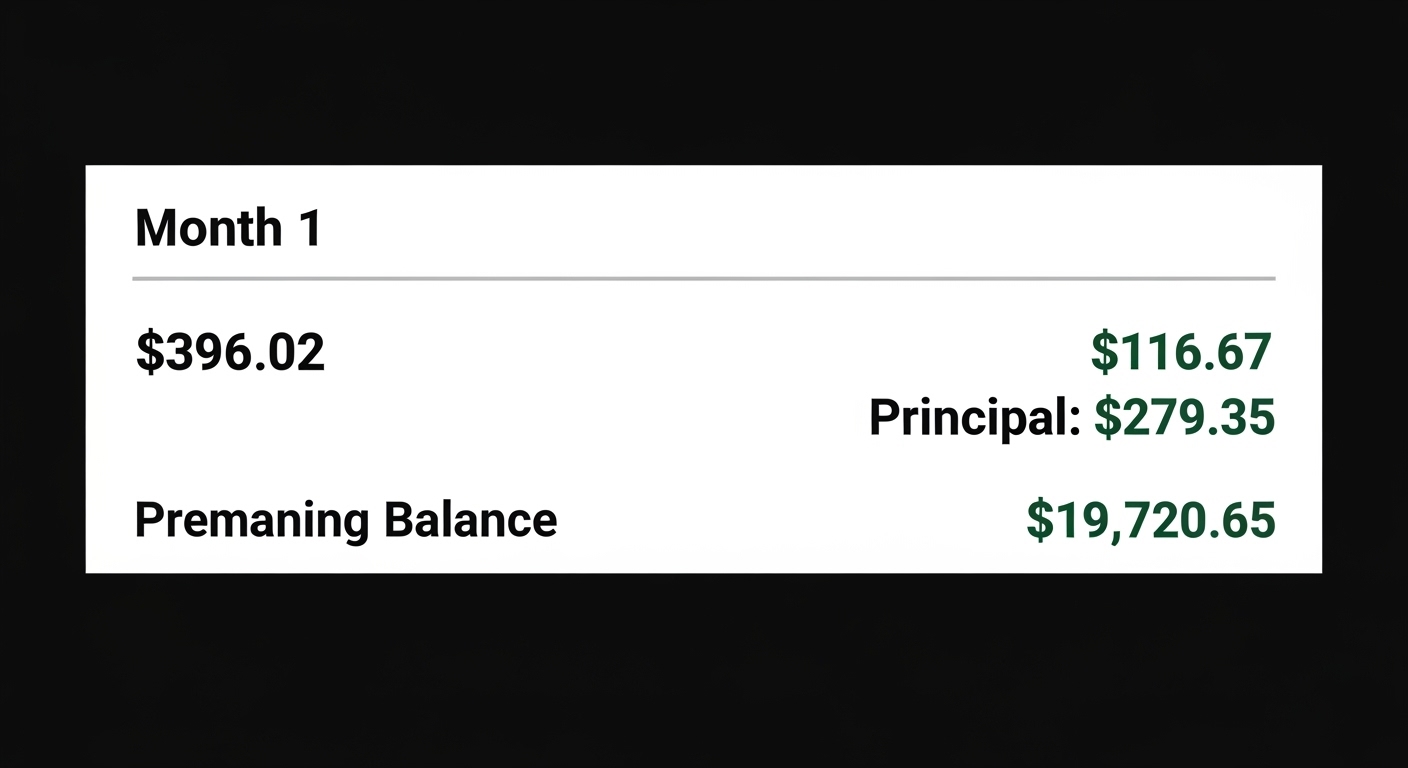
Step 5: Review the amortization schedule (if available).
This table breaks down every payment into principal vs. interest. In the early months, most of your payment goes to interest
Real-Life Loan Calculator Scenarios
Scenario 1: Personal Loan for Debt Consolidation
You owe $15,000 across three credit cards at 22% interest. A debt consolidation loan offers 11% over 3 years.
-
Credit card minimum payments: ~$450/month, you’ll pay over $6,000 interest
-
Consolidation loan payment: $491/month, but total interest only $2,676
-
Savings: $3,324 in interest
Verdict: Run the loan calculator before consolidating. A longer term might lower payments but increase total interest.
Scenario 2: Auto Loan – Should You Take the 0% Financing or Cash Rebate?
Dealer offers: $30,000 car. Option A: 0% for 60 months. Option B: $3,000 rebate + 5% loan from your bank.
-
Option A monthly payment: $500 (total interest $0)
-
Option B loan amount $27,000 at 5% for 60 months → monthly $509, total interest $3,540
Winner: 0% financing saves you $3,540. But only if you qualify. A loan calculator helps you compare.
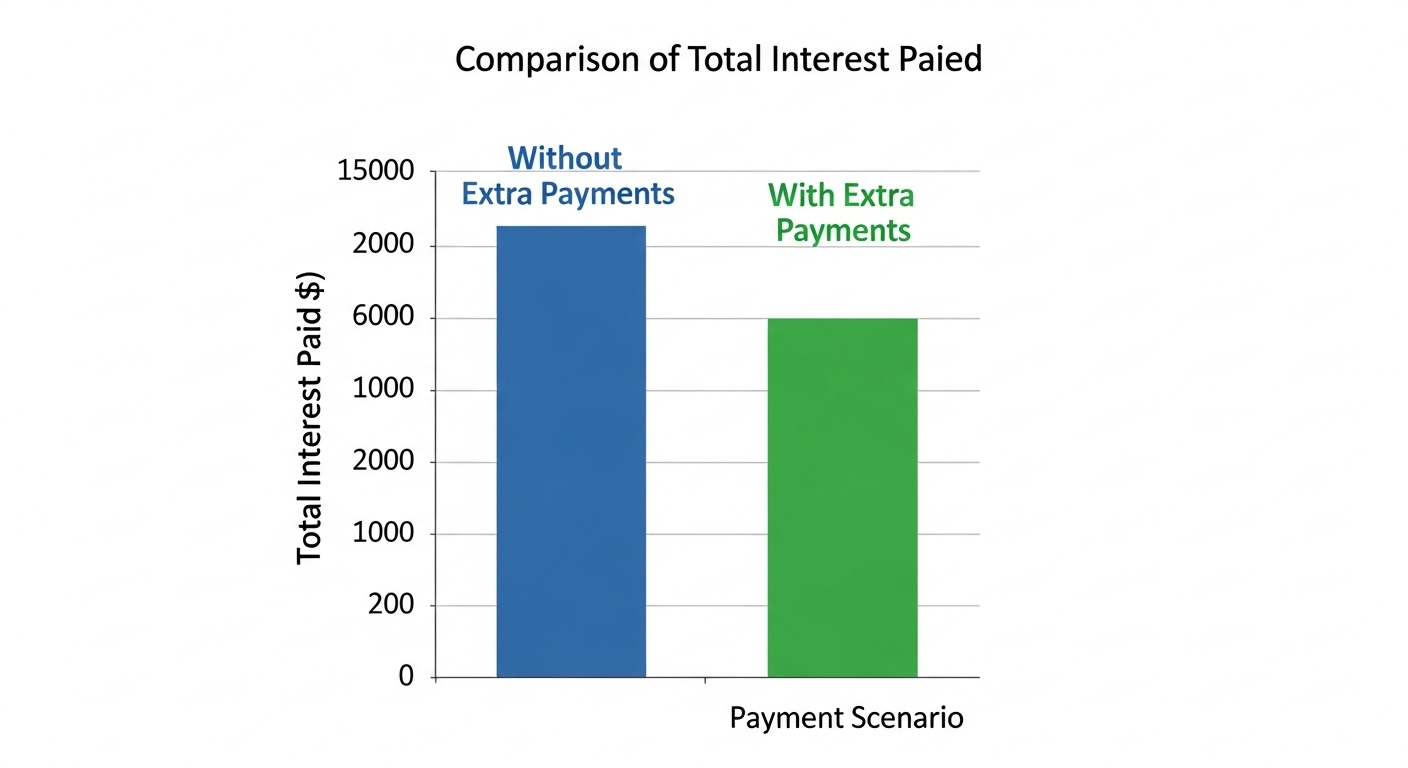
Scenario 3: Mortgage – Extra Payments
$300,000 home loan at 4.5% for 30 years.
-
Base monthly payment: $1,520
-
Total interest: $247,220
If you pay an extra $100/month:
-
New monthly: $1,620
-
Loan paid off in 25 years
-
Total interest saved: $44,000+
Common Mistakes People Make With Loan Calculators
Even with the best loan calculator, users often trip over these errors:
-
Using the wrong interest rate. Always use APR, which includes fees. A “6% rate” with $1,000 origination fee might be 7.2% APR.
-
Ignoring loan fees. Some calculators let you add upfront fees. If not, add them to the principal manually.
-
Choosing too long a term. Yes, a 72-month car loan lowers payments, but you could pay 2x the interest. Always check the “total interest” field.
-
Forgetting about variable rates. Loan calculators assume fixed rates. For adjustable-rate mortgages (ARMs), calculate worst-case scenario.
-
Not comparing multiple lenders. Run the same loan amount and term through 3-4 different interest rates. A 1% difference on $200,000 over 30 years is nearly $50,000.
How to Build a Simple Loan Calculator in Google Sheets (No Coding)
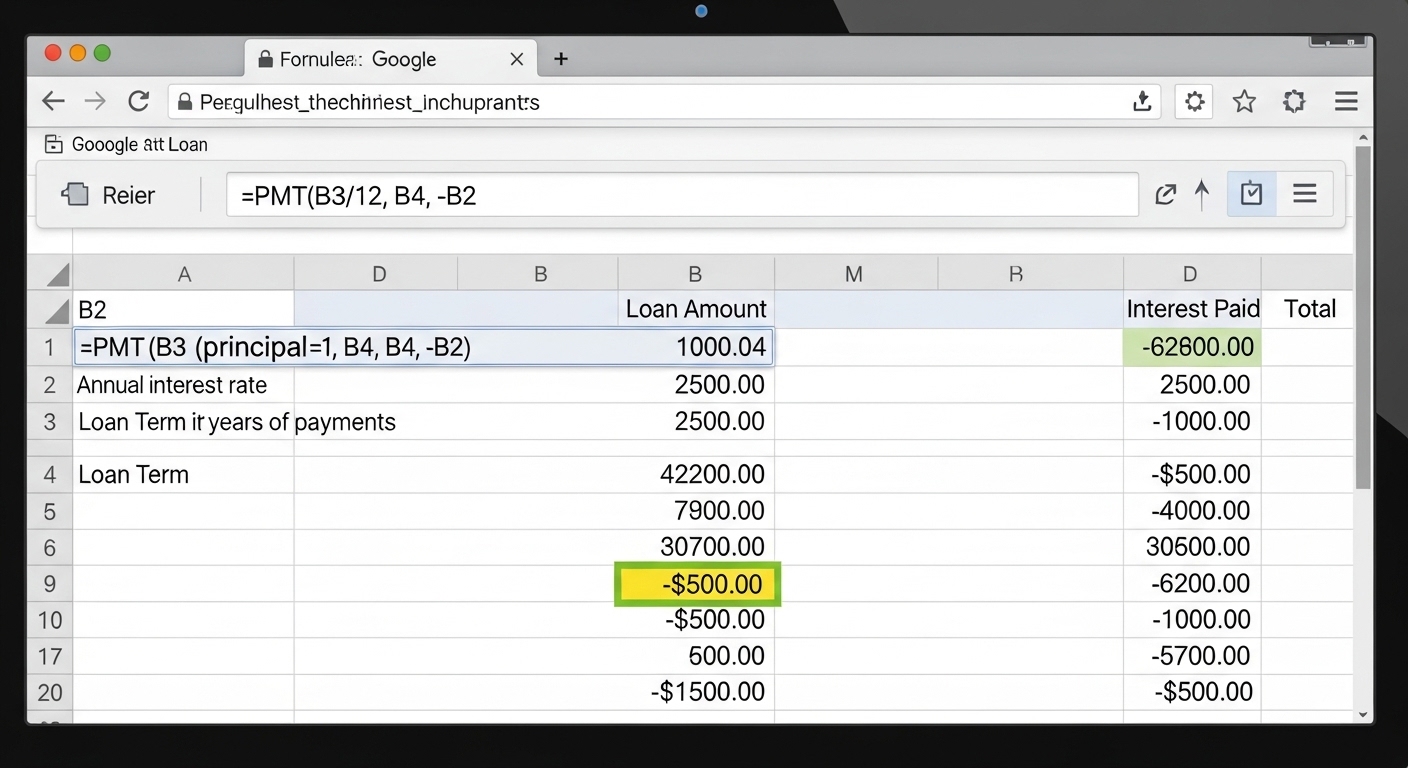
You don’t need a fancy website. Here’s a free, 5-minute loan calculator using Google Sheets:
-
Open Google Sheets and create these labels:
-
A1: Loan Amount
-
A2: Annual Interest Rate (%)
-
A3: Loan Term (months)
-
A4: Monthly Payment
-
-
Enter example values in B1, B2, B3 (e.g., 20000, 7, 60).
-
In cell B4, paste this formula:
=PMT(B2/12, B3, -B1) -
To see total interest, add:
A5: Total Interest
B5:=(B4*B3)-B1
That’s it. Now you have a live loan calculator. Change any input, and the payment updates instantly.
When a Loan Calculator Won’t Give You the Full Picture
While essential, a basic loan calculator has limits. It doesn’t account for:
-
Prepayment penalties – some loans charge extra if you pay early.
-
Balloon payments – a large lump sum due at the end.
-
Payment frequency – weekly vs. monthly changes total interest slightly.
-
Loan insurance – sometimes bundled into payment.
For those cases, look for an advanced loan calculator that includes extra payment options, balloon features, or bi-weekly schedules.
Best Practices for Using Any Loan Calculator
-
Always double-check the term. 60 months = 5 years. Don’t accidentally input 5 months.
-
Use the same time units. If interest is annual, convert to monthly correctly.
-
Include taxes and insurance for mortgage calculators (often separate).
-
Run multiple scenarios. What if rates rise 1%? What if you pay an extra $50/month?
-
Save or print the amortization schedule to track your progress.
Conclusion: Take Control of Your Loans Today
A loan calculator is more than a widget on a bank’s website—it’s a financial empowerment tool. Whether you’re comparing personal loans, auto financing, or a 30-year mortgage, running the numbers before signing anything saves you from overpaying by thousands.
Your next steps:
-
Bookmark a reliable loan calculator (many are free).
-
Before applying for any loan, input the offered terms.
-
If the monthly payment or total interest surprises you, negotiate or walk away.
And remember: the best loan is often the one you don’t need. But when you do need one, use a loan calculator to stay in control.
Frequently Asked Questions (FAQ)
Q: Is a loan calculator accurate?
A: Yes, if you input correct APR, principal, and term. It uses the standard financial formula banks use.
Q: Can I use a loan calculator for credit cards?
A: Yes, but credit cards have variable minimum payments. Use a “credit card payoff calculator” instead.
Q: What’s the difference between a loan calculator and an EMI calculator?
A: They are the same thing. EMI stands for Equated Monthly Installment.
Q: Do loan calculators include taxes and insurance?
A: Only if the calculator has separate fields. For mortgages, always use a dedicated mortgage calculator with PITI (Principal, Interest, Taxes, Insurance).

Popular Tools
Recent Posts