 English
 العربية
 Deutsch
 Español
 Français
 Italiano
 Português
 Русский
 Türkçe
 Tiếng Việt
Free Character & Reading Time Tool for SEO
Master Your Writing with the Ultimate Word Counter: Precision, Speed, and SEO Success
Every character counts. Whether you are a professional content writer racing against a deadline, a student submitting a college essay, a marketer crafting the perfect social media caption, or an SEO specialist optimizing a meta description, the length of your text directly impacts your success. Too short, and you miss critical information or fail to meet guidelines. Too long, and you risk boring your audience or having your content truncated.
But how do you achieve that perfect balance without wasting precious minutes manually counting every single word? The answer lies in a simple, yet profoundly powerful tool: The Online Word Counter.
Today, we are diving deep into why tools like the one found at https://yono-tv.net/word-counter are essential for your digital toolkit. We will explore its features, benefits, and how it can revolutionize your writing workflow.
What Exactly is a Word Counter?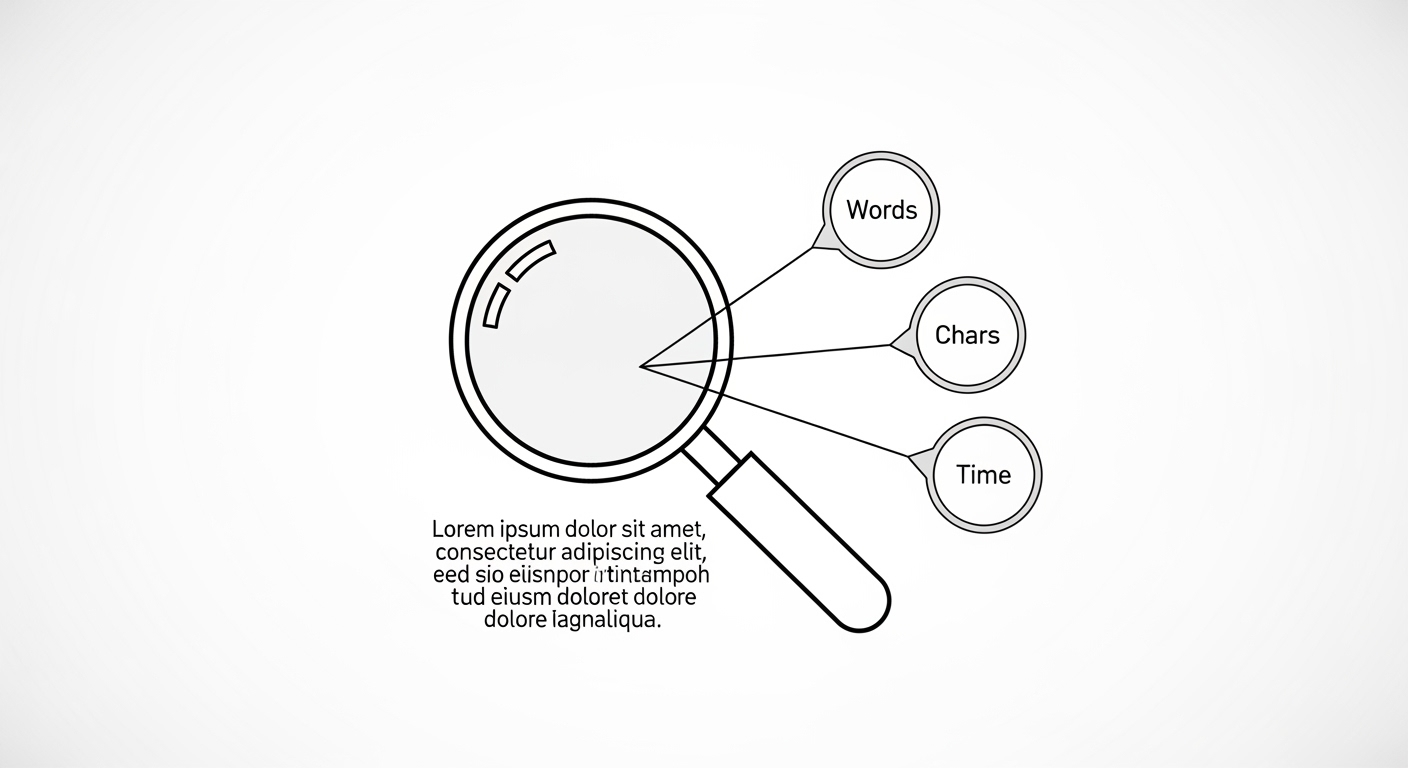
At its core, a word counter is a digital utility designed to instantly analyze text and provide metrics regarding its length and structure. But modern word counters go far beyond simply counting spaces between words.
Think of it as a diagnostic tool for your writing. It scans your input and returns a detailed health report on your text. The Word Counter tool by Yono-TV, for example, does not just tell you how many words you have written. It analyzes characters (with and without spaces), sentences, paragraphs, and even estimates reading and speaking time.
It bridges the gap between what you think you wrote and what you actually wrote. For professionals who rely on specific limits—like a 160-character meta description for Google or a 280-character tweet—this accuracy is non-negotiable.
Why Manual Counting is a Relic of the Past
You might wonder, "Can't I just copy my text into a document and look at the word count there?" While many text editors offer basic counts, manual checking or relying solely on built-in software has significant drawbacks, especially when compared to a dedicated online word counter.
| Feature | Manual Counting / Basic Software | Dedicated Word Counter Tool |
|---|---|---|
| Speed | Slow, requires opening large programs | Instant, works in a single click |
| Accuracy | Prone to human error | 100% accurate, automated |
| Metrics | Usually just words/pages | Characters, sentences, reading time, speaking time |
| Convenience | Requires downloads or specific apps | Works in any browser, on any device |
| SEO Value | Hard to track keyword density | Easy to paste and check limits instantly |
Counting text manually is not only slow and error-prone, but it also fails to offer the advanced metrics professionals need. For instance, if you are preparing a speech, knowing the speaking time is more valuable than just the word count. A dedicated tool provides those insights immediately.
Key Features That Make a Word Counter Indispensable
When you visit a robust word counter tool, you are looking for more than just a number. Here are the critical features you should demand, all of which are present in high-quality utilities like the Yono-TV Word Counter.
1. Real-Time Counting
The best tools update as you type or paste. There is no "Submit" button to click. You simply place your text into the input box, and the results change instantly. This real-time analysis allows for fluid editing. If you need to trim an essay from 1,050 words down to 1,000, you can delete sentences and watch the number drop until you hit your target.
2. Comprehensive Text Statistics
A good word counter acts as a microscope for your writing. Beyond basic numbers, it identifies:
-
Total Characters (with spaces): Essential for URL slugs and meta descriptions.
-
Total Characters (without spaces): Useful for academic abstracts or coding.
-
Sentence & Paragraph Count: Helps gauge the complexity and flow of your writing. Short paragraphs are good for web reading; long paragraphs suit academic papers.
-
Reading Time Estimate: Crucial for bloggers. Knowing that an article takes "5 minutes to read" sets user expectations and increases engagement.
-
Speaking Time Estimate: A lifesaver for presenters, podcasters, and video scriptwriters.
3. User-Friendly Interface and Accessibility
Complexity is the enemy of productivity. A professional tool requires no login, no software installation, and no payment. It should be a simple, clean interface that works on your browser, whether you are on a laptop in a library or a phone on the subway. The best tools, like the one reviewed, are 100% free and store nothing you paste, ensuring your privacy and safety.
Who Really Needs a Word Counter? (Spoiler: Almost Everyone)
The utility of a word counter is universal across the written word. However, specific professions rely on it to meet strict requirements daily.
Content Writers and Bloggers
For a blogger, word count is directly tied to SEO performance. Long-form content (typically 1,500+ words) tends to rank higher on Google than short articles. A word counter helps writers hit these targets. Furthermore, the reading time estimate allows bloggers to add a "Time to read:" line at the top of their posts, improving user experience.
Students and Academics
Professors are strict. An essay requiring "2,000 words, double-spaced" cannot be 1,900 or 2,100 without penalty. Students can use the word counter to ensure they meet minimum word requirements without exceeding the limit. It also helps format paragraphs correctly for submissions.
Social Media Managers and Marketers
This group arguably needs a word counter the most. Platform constraints are brutal:
-
X (Twitter): 280 characters
-
Facebook: Optimal post length is 40-80 characters for engagement
-
Instagram Captions: 2,200 characters (but shorter is often better)
-
LinkedIn: 1,300-1,500 characters for posts
A marketer can draft a caption, paste it into the counter, and instantly see if it fits. No more embarrassing truncated posts.
SEO Specialists
Search Engine Optimization revolves around specific text elements. A meta title should be 50-60 characters. A meta description should be 150-160 characters. A word counter that tracks characters without spaces is essential for crafting perfect snippets that don't get cut off in search results.
How to Use a Word Counter: A 3-Step Workflow
Using a professional word counter is incredibly intuitive. Here is the standard workflow you will find on sites like Yono-TV.
Step 1: Paste or Type Your Text
Navigate to the word counter tool. You will see a large input box. You can either start typing your content directly into the box or copy/paste text from a document, email, or website.
Step 2: Analyze Instantly
As soon as the text appears in the box, the tool begins its analysis. There are no buttons to press or pages to reload. The magic happens instantly.
Step 3: View and Act on the Results
Below the text box, a dashboard will display all the metrics. You will see:
-
Total Word Count
-
Total Characters (with spaces)
-
Total Characters (no spaces)
-
Number of Sentences
-
Number of Paragraphs
-
Estimated Reading Time
-
Estimated Speaking Time
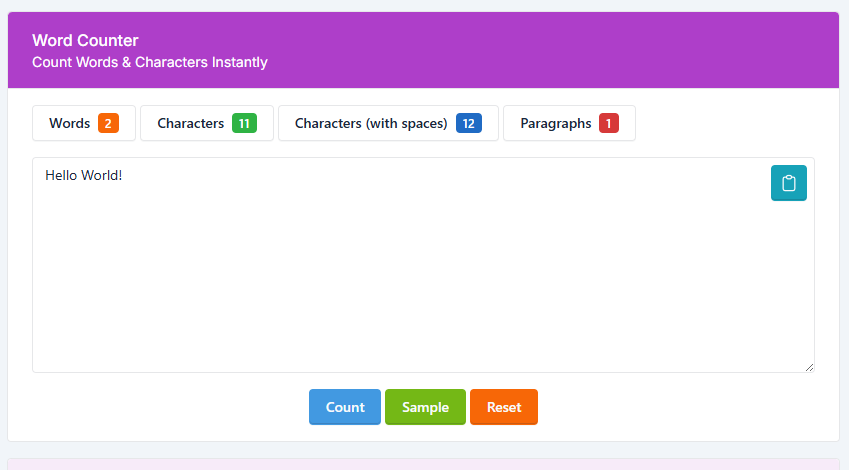
*[Image Suggestion: A screenshot showing a text area filled with "lorem ipsum" or a sample blog paragraph, with a sidebar or bottom panel clearly displaying numbers for "Words: 247", "Characters: 1,450", "Reading Time: 1 min", etc. Alt Text: "Example of word counter interface showing real-time text statistics and reading time estimates."]*
Pro Tips: Using a Word Counter for SEO and Writing Excellence
Simply knowing your count is step one. To truly leverage a word counter, integrate these professional strategies into your routine.
1. Track Keyword Density
While advanced SEO tools are better for this, a simple word counter helps with basic density. If you write a 500-word article and use your target keyword "digital marketing" ten times, you have a 2% density. Copy your text into the counter, note the total word count, and manually search for your keyword to keep your density optimal (usually 1-2%).
2. Draft Within Limits
Don't write first and check later. Keep the word counter open in a separate tab while you draft a blog post or a social caption. As you type, watch the counter. If you know your Instagram caption needs to be under 150 characters, you can see the number climbing and keep your language concise in real time.
3. Improve Readability via Paragraphs and Sentences
Look at the "Sentence" and "Paragraph" counts. If you have a 1,000-word article but only 5 paragraphs, that means your average paragraph length is 200 words—far too dense for web reading. Aim for 2-3 sentences per paragraph on digital platforms. The counter helps you identify these structural issues immediately.
4. Practice for Presentations
Have a 5-minute presentation coming up? Write your script, paste it into the counter, and check the speaking time estimate. The average person speaks at about 130-150 words per minute. If your script shows a 10-minute speaking time but you only have 5 minutes, you know you need to cut your content in half before you ever step on stage.
Privacy and Security: Is It Safe to Paste My Work?
A common concern among writers and professionals is privacy. Is it safe to paste your unpublished novel, your company's quarterly report, or your secret blog draft into an online tool?
Legitimate word counters prioritize user privacy. According to best practices (as noted on the Yono-TV tool), reliable platforms adhere to a simple policy: No login required. Nothing is stored.
This means:
-
The tool does not save your text after you leave the page.
-
It does not share your data with third parties.
-
It does not require you to create an account that tracks your history.
You can paste confidential information, check the count, and close the tab, confident that the data vanishes. Always look for statements like "Safe & Simple" and "Nothing stored" before using any online utility.
Conclusion: Elevate Your Writing Today
The difference between amateur and professional writing often comes down to discipline and precision. Meeting a word limit shows respect for an editor's guidelines. Hitting a character count shows attention to detail for a social platform. Estimating reading time shows care for your audience's schedule.
You no longer need to rely on tedious manual counting or bloated software. A dedicated online word counter puts the power of text analysis directly in your browser. Whether you are fighting for SEO ranking, an academic grade, or social media engagement, tools like the Word Counter by Yono-TV provide the speed, accuracy, and data you need.
Stop guessing and start knowing. Paste your text, analyze instantly, and write with confidence.

Popular Tools
Recent Posts